Where strategy meets implementation
Have big ideas but are struggling to make them happen? Worried that your workflow is stopping your team from meeting its potential? I thrive at the nexus of strategy and tactics and excel at translating big picture plans into actionable steps. With a collaborative, design-thinking-informed approach, I work through complex problems methodically to find practical, feasible solutions.
Case Studies
My approach to problem solving is iterative and generally follows the same set of steps inspired by Design Thinking:
Understand the landscape
Define the problem
Collaboratively identify solutions
Implement
Evaluate efficacy
Repeat 3-5 as needed
Here’s how that played out across three real-world scenarios.
Jump directly to…
TEAM WORKFLOW
The challenge
What tools can a newly developed team use to work together more efficiently? How do we identify, build, and use that tool effectively for everyone?
Read through the rest of this case study to understand how adopting a custom-built Asana environment improved outcomes.
Outcomes
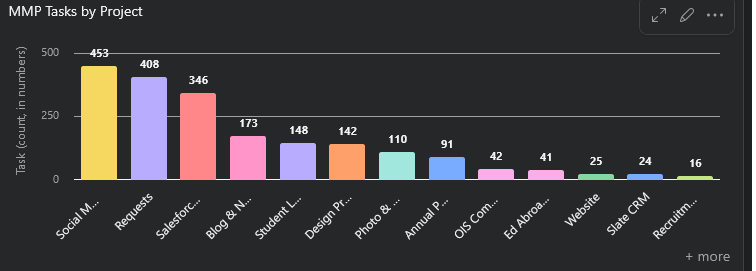
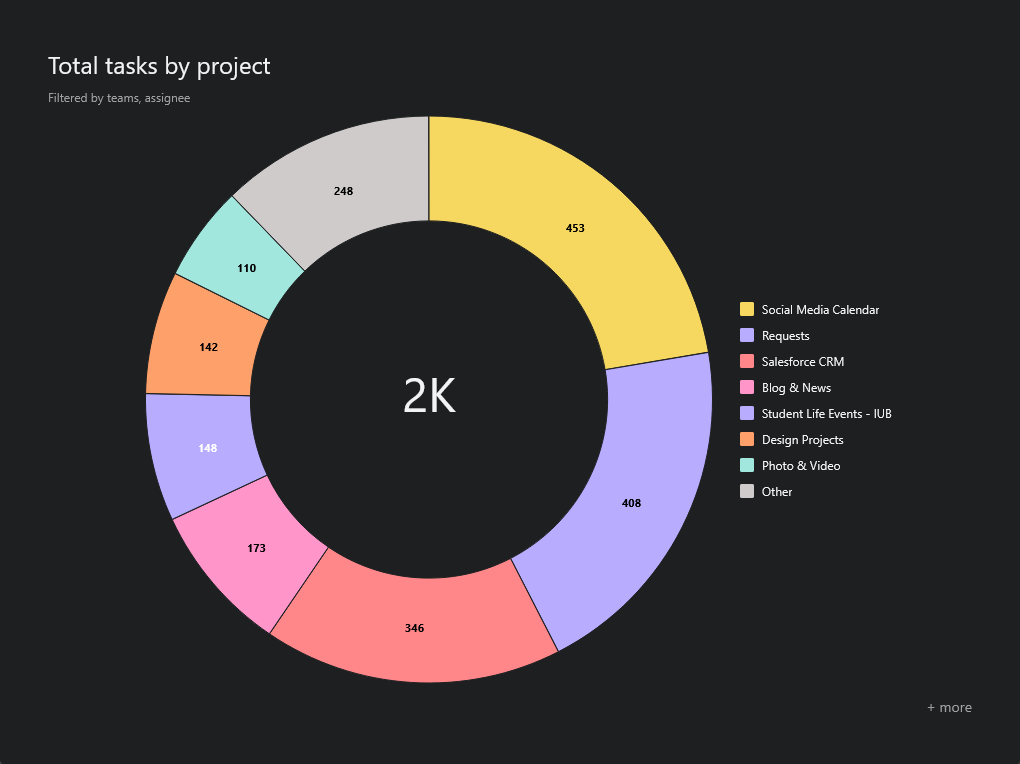
Adopting this system alongside a public presentation to staff to clarify roles and responsibilities allowed staff to focus on the work rather than how to do the work. Staff completed (and were able to report on!) 1,000+ completed tasks across 10 project areas in the first year of implementation with minimal friction.
Leadership was able to quickly check and report on project progress without constant check-ins. Because multiple staff could have eyes on internal team projects and deadlines, fewer tasks were dropped and deadlines missed. With less time spent on tracking, productivity increased.
PROCESS
Understand
A new team is formed in the organization, taking three groups of people not used to working together. They have different communication styles, resources, and approaches to management. Using email, MS Teams, and Planner, they begin communicating ad hoc. There is pressure to use only free resources and identify efficiencies, but a lack of clarity around roles and relationships causes uncertainty.
Define the problem
I met with all staff to discuss communication preferences and hear where they felt issues were coming up. This identified three main challenges:
Specific responsibilities weren’t clearly assigned to specific people.
This created confusion within the team and between the team and clients.
The complexity and volume of requests was too high to manage using current systems.
Ideate solutions
After meeting with staff to discuss findings, I built two proposed solutions: one using MS Team’s in-built tools, one using Asana’s paid workflows.
Based on team feedback and concerns around cost, the free Microsoft Teams solution was selected for implementation.
Implement & evaluate
We tested the in-built tools for two months, then evaluated. We found that the same issues were still coming up, especially because of the inability to track projects that required collaboration with multiple team members across disciplines. We needed a way for projects and tasks to live in multiple places at once, with team members assigned specific tasks within a larger project assigned to a manager.
Ideate solutions II
I researched low and no-cost solutions based on the criteria the team defined as “must haves.” Based on their feedback and the ongoing challenges identified in the first implementation phase, Asana was the clear winner.
Why?
Asana allowed projects to be clearly tagged and tracked, even when multiple team members were involved. With custom fields, the team could build and automate tasks to make sure the right people were involved at every step of the way.
Implementation
Implementation needed to solve all three problems, which Asana was able to do by building out projects, forms, and custom tags.
Assigning responsibilities: Asana allowed for tagging and notifying individuals when tasks were assigned to them
By utilizing custom tags and scope-specific project boards, tasks were clearly assigned to specific roles.
Building an intake form allowed team members to collect critical data without multiple back-and-forth emails and automate route tasks based on the information provided.
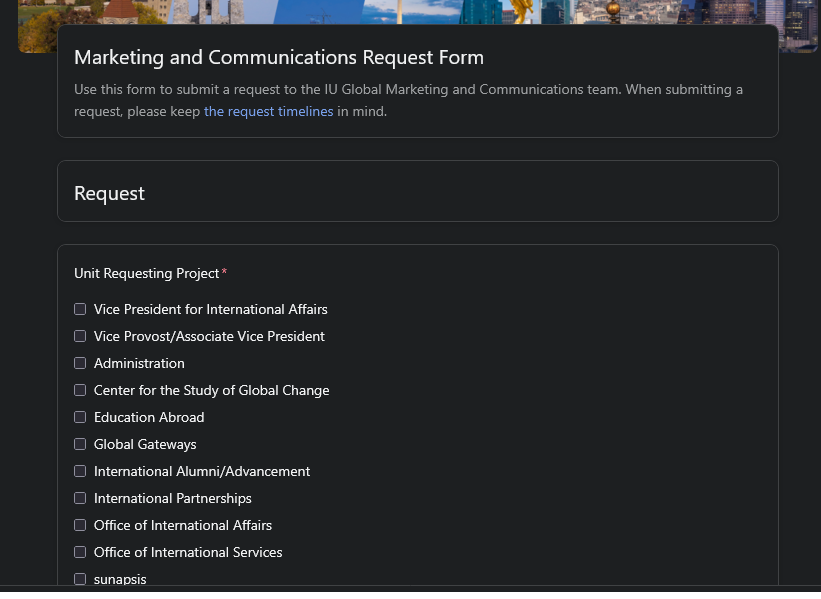
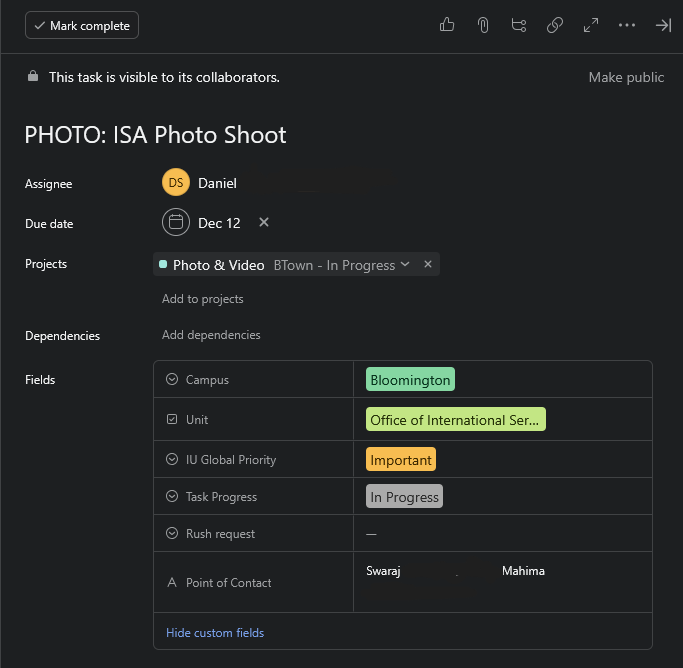
The intake form combined with custom tagging allowed the team to see where the request was coming from and track key details throughout the project.
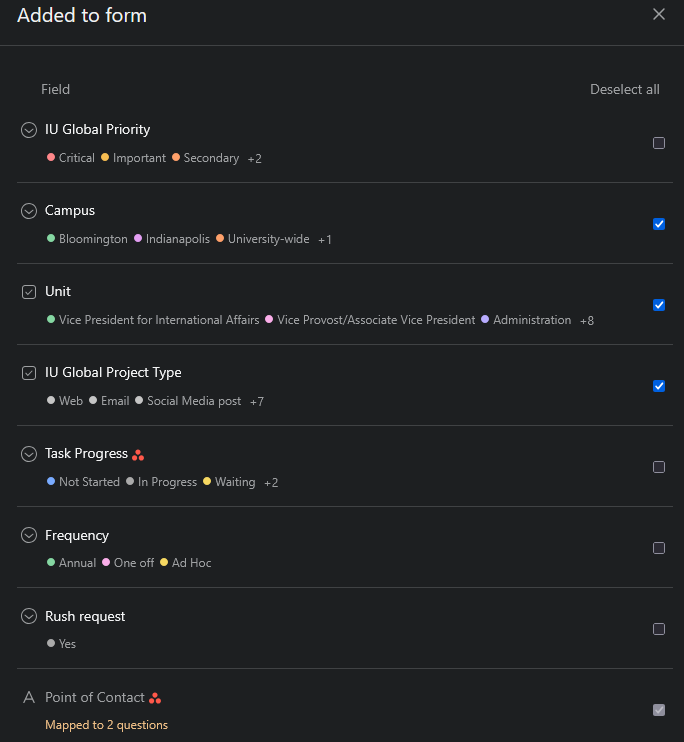
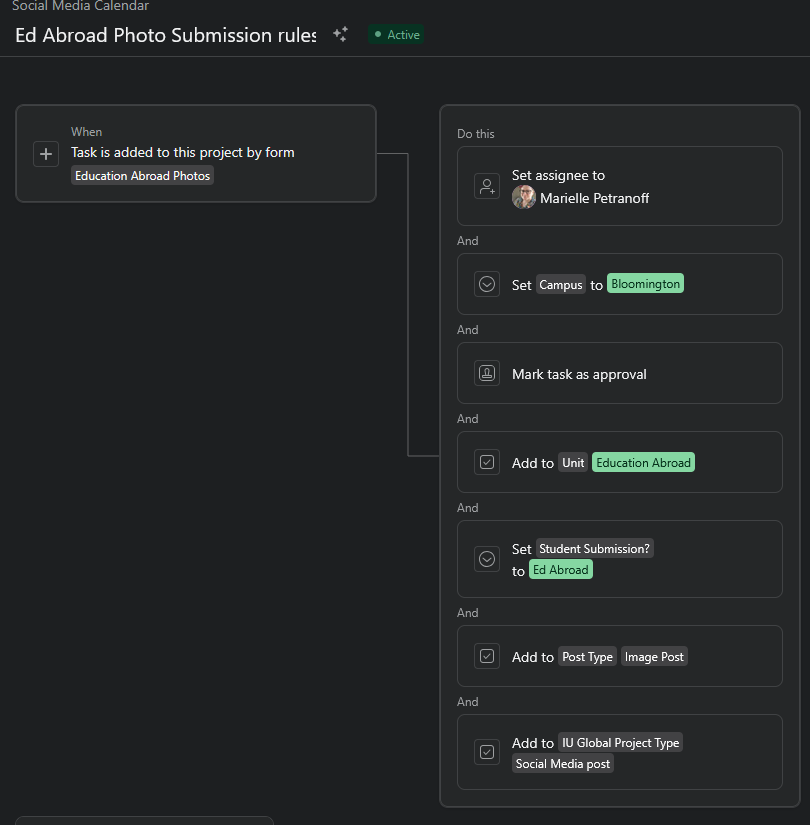
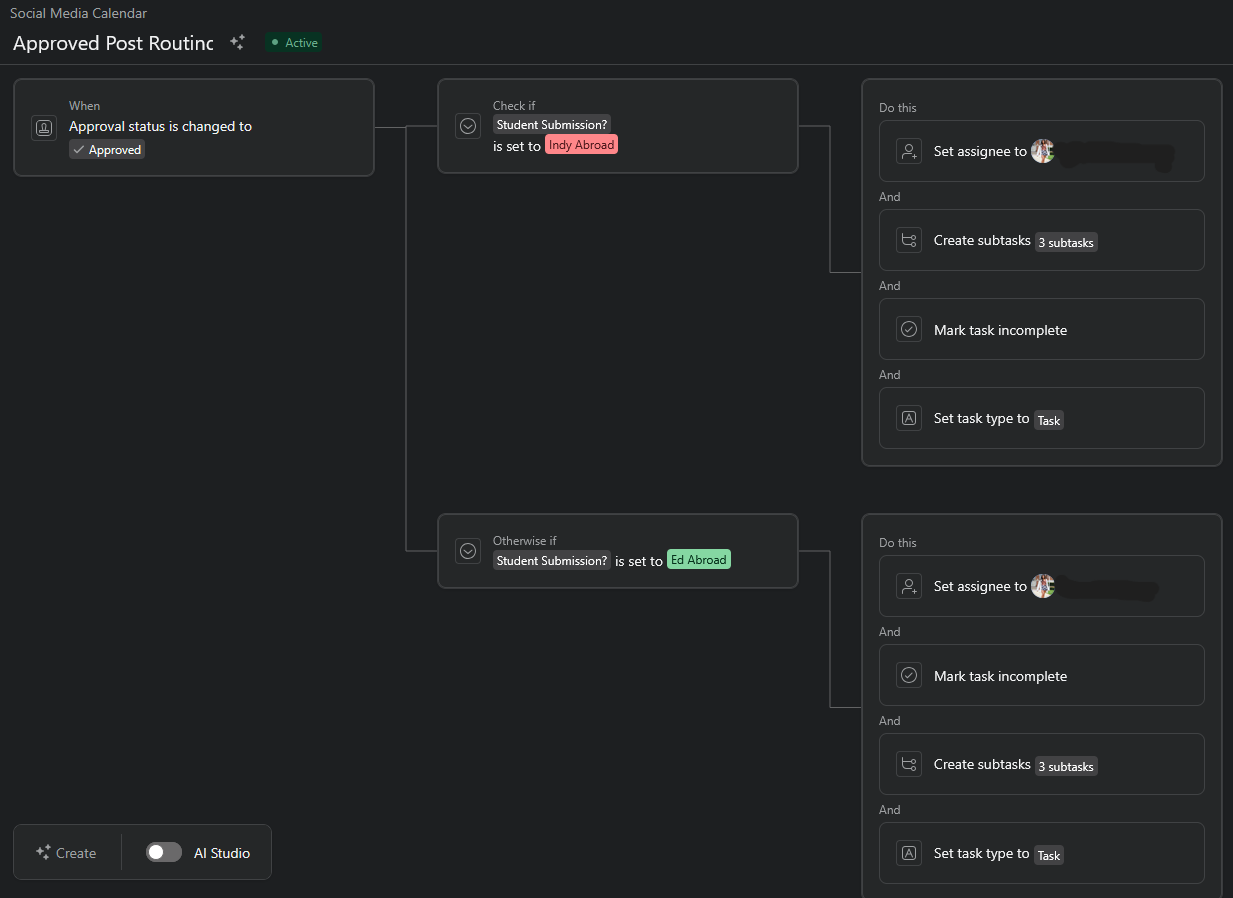
The forms fields being tied to custom fields allowed me to build automated routing systems that assigned tasks to the appropriate people, added subtasks, and notified relevant collaborators without constant input.
STUDY ABROAD SIGN UP
The challenge
How can we increase completed applications for the most popular semester to study abroad when we’re also changing the deadlines? Without any owned contact information for its audience, Education Abroad needed to rely on self-identified students following through to complete their applications.
Outcomes
Complementary email and social campaigns drove an increase in the overall volume of applications as well as more complete applications at point-in-cycle checks. Email and social analytics were consistently 30% above the industry average.
PROCESS
Understand
Education Abroad needed to communicate two things to its audience: current students could study abroad in Spring 26, and the way that they could do this was changing. Both the application opening and closing periods would be much earlier than previous years.
Define the problem
Two types of communication needed to go out: one to notify all students that they were eligible to study abroad, one to interested students to ensure they didn’t miss the changing deadlines.
Both of these points also needed to be reinforced with repeat messaging and multiple modes of communication to make sure no student missed out.
Ideate solutions
Speaking with both staff and current students, a multi-platform approach was ideal.
Staff needed a way to capture the information of interested students.
Students needed information in a way that reminded them, but didn’t interrupt or annoy.
We settled on parallel social media and targeted email campaigns.
Implementation
In tandem, implementation went through the following steps:
Request emails of all undergraduate students
Build a RFI form to collect high-interest user information
Build a social media campaign with increasing post frequency around launch date and application closing
Email all students, then send targeted emails around key action items to high-interest group
Initial Email
The first step was notifying all potential audience members of the change. I requested the data to send to all 70K undergraduate students eligible to study abroad and was approved.
The calls to action? Fill out a form opting into more emails and information & follow us on Instagram.
RFI Form
Working with our Web & Digital Experience Manager, I built an RFI that directly added users to Salesforce Marketing Cloud. Data collected included individual schools and countries of interest, which advisors were able to use to connect individual students to programs within their majors/interest areas. It also allowed us to send reminder emails to relevant groups based on application deadlines.
High-interest email reminders
An introductory email was sent to the RFI group before the end of the semester in April, 2025. Reminder emails were sent out around key action items and deadlines for the group that expressed interest. Email cadence was no less than once a month, but adjusted around high-volume times of year and the lead up to application launch, with follow up reminders during the semester.
Email Outcomes
Because of the email’s timeliness, clear calls to action, and accessible, but engaging visuals, the initial email exceeded expectations and industry standards, building the first true owned audience list for Education Abroad.
Initial Email
2.3% click rate —> Industry average 1.7%
28K opens, 14K unique opens
580 new RFIs
Targeted emails
11.8% click rate
42.9% open rate —> 35% industry average
Social Media
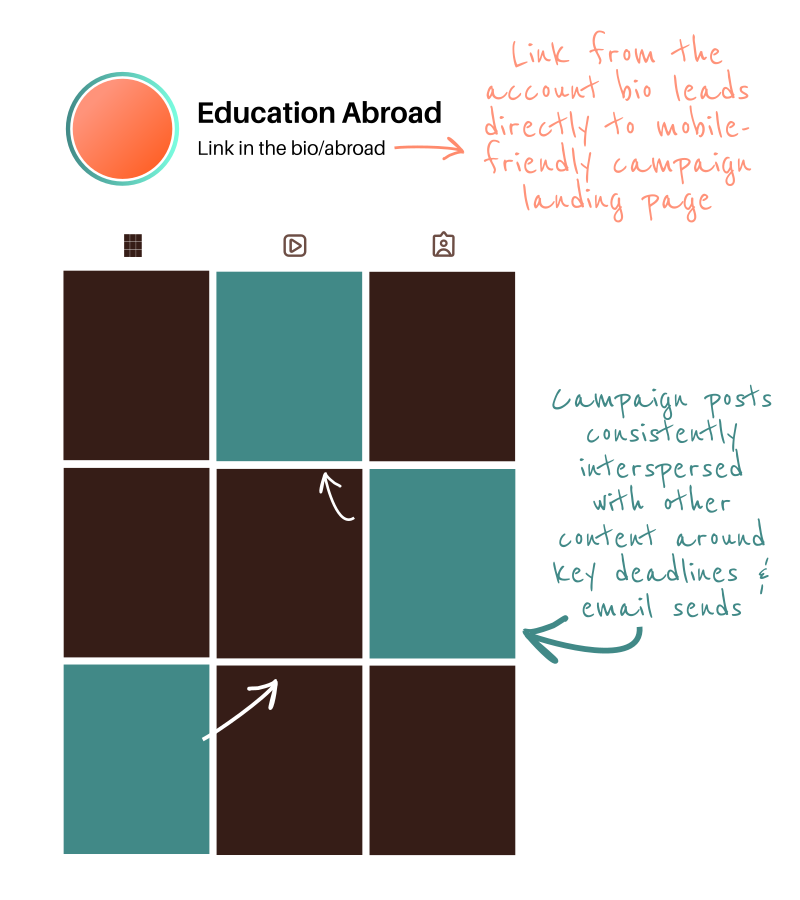
Beginning in June, a series of posts reminded students that applications were opening and connected them to direct links to the campaign in the bio page. Posts continued around key dates, like applications opening, closing, and scholarship deadlines, using a mix of video and user-submitted images. Campaign posts reinforced email content and pushed to the “link in bio,” a mobile-friendly landing page that allowed students to start their application without leaving the app.
Social Outcomes
During the campaign, in addition to increasing followers and engagement, this campaign led to ~600 bio page views with 100+ program link clicks, with a 79% click-through rate. Social messaging reinforced email messaging and met students where they were, when they were ready to engage with Education Abroad.
PHOTO MANAGEMENT
Understand
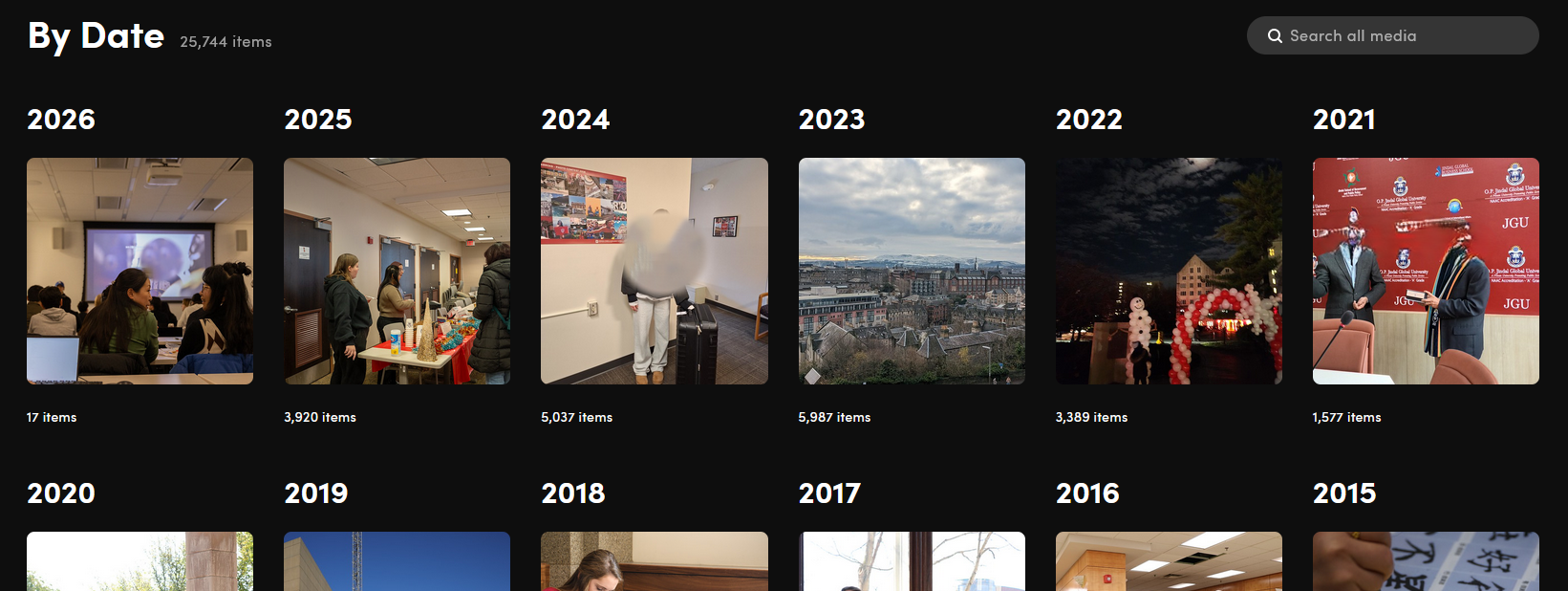
When I began my role in university-wide international affairs in 2022, we were five teams spread across four continents. Each team would photograph important events and people, but there was no consistent system for storing or sharing visuals.
Define the problem
There were two challenges to solve for: first, how do we get everything in one place? Next, how do we make sure users can find relevant visuals when they weren’t the ones who took the pictures?
The first challenge would require building a timeline for migration and guidelines for how to upload, tag, and organize photos. The second, training in how to search within the existing structure using a shared taxonomy and lexicon.
Ideate solutions
Users immediately defined three things that any solution needed to have: it needed to be intuitive to upload and search for photos, it needed to be affordable, and it needed to be available in any country.
This required researching cloud-based solutions, conferring with independent and university photographers, scoping pricing, features, and accessibility. Ultimately, we settled on the photo management site SmugMug.
Implementation
Implementation occurred in three parts over 6 months:
Inventory existing content and develop a taxonomy and lexicon for metadata tagging
Once the scaffolding was built, train staff in how to upload new photography to the site, as well as train staff in how add and organize existing visuals in the new system as a background task.
Train all staff in consistent naming, tagging, and search conventions to maintain the library.
Implementation, part II
In phase 1, I analyzed the content of four separate visual libraries focusing on both what content existed and how it was used. From there I developed naming, tagging, and organizational conventions along with guidelines for how to develop new tags in the future based on potential use cases. I then trained part-time staff in these conventions so that they could work on uploading the archive of photography, and trained photographers and contributors in the conventions of how to name, upload, and tag new content. Finally, all staff received training in how to search, download, and utilize the visuals stored in the library.
Outcomes
In the year-long background implementation process over 30K visuals from 2014-2025 were uploaded, tagged, and organized to the site. This allowed the department to stop payments for single-use storage servers, and teams across the world could add and access photography for social media, event promotion, and reporting without email back and forth. What used to be a manual task of searching through multiple levels of file storage folders became a 2 second search.